Buyer’s guide · 2026

The best paid parental control for the Mac.

Almost every parental control is a phone app with a Mac client added on later. If the Mac is the device you actually need to manage, that matters. Here’s what to look for, how the main paid options stack up, and an honest take on where Kidfence fits.
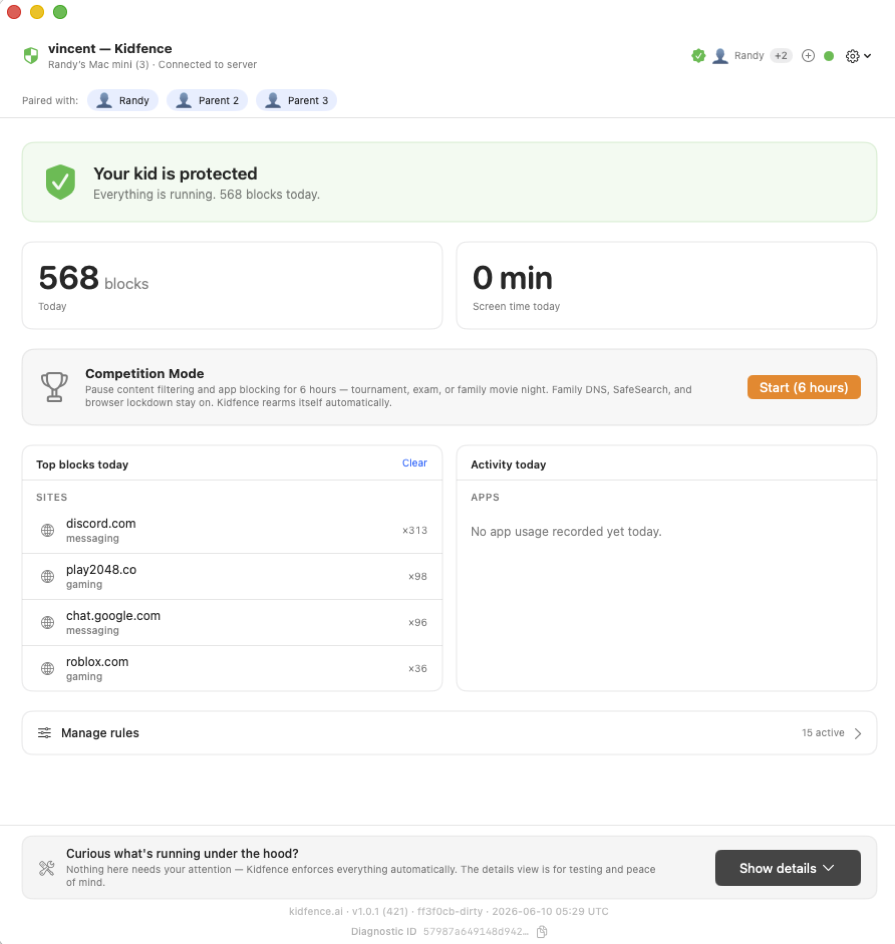
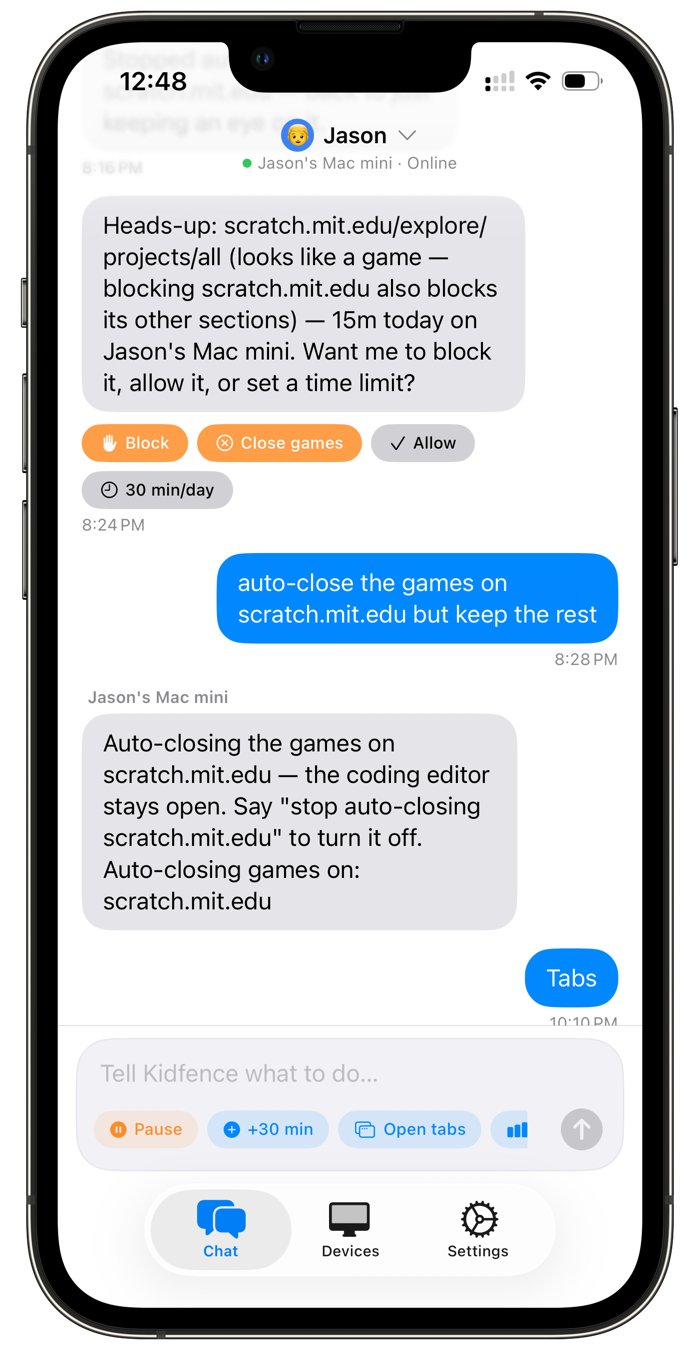
Kidfence on the kid's Mac: blocks today, top blocked sites, all protections active. The Kidfence parent app, controlling the kid's Mac by texting in plain English.

What to look for in a Mac parental control

Phones are largely solved by Family Sharing and Family Link. The Mac is the gap, and it has its own checklist.

Built for the Mac

A tool made for macOS uses Apple’s system extension frameworks and doesn’t depend on an app window staying open. A ported phone client often does, and tends to break when the laptop sleeps.

Hard for a kid to bypass

The important questions: can a kid disable it with a new user account, a sign-out, or a clock change? Does app blocking key on a code signature, or just a filename? Does it survive a reboot?

No VPN, no slowdown

Some filters route traffic through a local VPN or proxy, which can slow the Mac and break on proctored school tests. Network-Extension filtering keeps HTTPS intact and adds no tunnel.

Easy to cancel

Subscriptions billed through the App Store can be cancelled in one tap from your iPhone. Web-billed subscriptions sometimes can’t, so it’s worth checking before you commit a card.

How the paid options compare on the Mac

A neutral, Mac-specific snapshot. Pricing is approximate and changes often; check each vendor for current details.

Built for Mac No VPN / slowdown Per-app time limits Price (approx.)
Kidfence Mac-first Yes Yes $79.99/yr
Qustodio Cross-platform Local filter App rules ~$55–100/yr
Net Nanny Cross-platform Content filter No ~$55–130/yr
Mobicip Cross-platform Content filter Limited ~$40–100/yr
Norton Family Cross-platform Filter Limited on Mac ~$50/yr
Apple Screen Time Built in Yes Basic Free

Comparison reflects publicly documented product behavior and capabilities as of June 2026; pricing is approximate and varies by plan, device count, and region. Each product name is a trademark of its respective owner; Kidfence is independent and not affiliated with or endorsed by any of them.

Dig deeper: Kidfence vs Qustodio · vs Net Nanny · vs Apple Screen Time

Where Kidfence fits

If you mainly need a phone managed, the platform tools are excellent and free, start there. If the device you’re fighting over is a Mac, that’s exactly what Kidfence is built for: native macOS enforcement a kid can’t simply turn off, no VPN or slowdown, per-app limits with a bedtime that freezes apps, and plain-English chat control. It’s priced in line with the paid field at $79.99/year, with a 14-day free trial and one-tap cancellation through Apple.

Try the one built for the Mac

Start on your iPhone; it walks you through the Mac setup in about 10 minutes. 14-day free trial, no card, cancel anytime.